
Private budgeting
Budgeting that never
leaves your machine.
Pulse Local is a complete budgeting app, built so your data stays yours.
Other apps keep your ledger on their servers, or send your questions to someone else's model. We keep both on your machine.
The gap
“Local” usually means your data.
Not your question.
Your ledger sits on your disk. Then you ask something, and the question plus the rows that answer it go to a hosted model.
Your ledger
Stays
Every local-first app does this much.
Your question
Sent, on most
A policy promises not to train on it. A promise is not an architecture.
Pulse Local
Both stay
The model is a file next to your ledger. There is no endpoint to send to.
How it answers
Four questions in five
never reach the model.
The way to run on a small model is to use it less. Most questions are read into a query and answered from your own figures, in milliseconds. The model is for wording, not arithmetic.
~80%
answered by code
measured on questions the app had never seen
0.6B
parameters, tuned by us
open weights, running on-device
76 / 75
against a cloud model
77 real questions, local scored first
Never writes a query. The model cannot return the wrong number, because it never touches the database.
Every figure from code. The answer shows the rows it used, so you can check it.
Describes, never directs. It will not tell you what to buy, sell or cancel.
Asks when unsure. An unclear question gets one clarifying question, not a guess.
Try it
Ten questions.
None reached the model.
Real replies from the shipped app, answered against a sample ledger. Some appear only once the question before them is asked, because the app remembers what you were talking about.
Pick a question on the right. The replies are real: each one came out of the app, answered against a sample ledger.
Questions
The app
A complete budgeting app.
Not a privacy demo.
Plans and targets, rules, rollover, splits, cash flow, forecast. It covers the ground the most used budgeting apps cover. The difference is where the work happens.
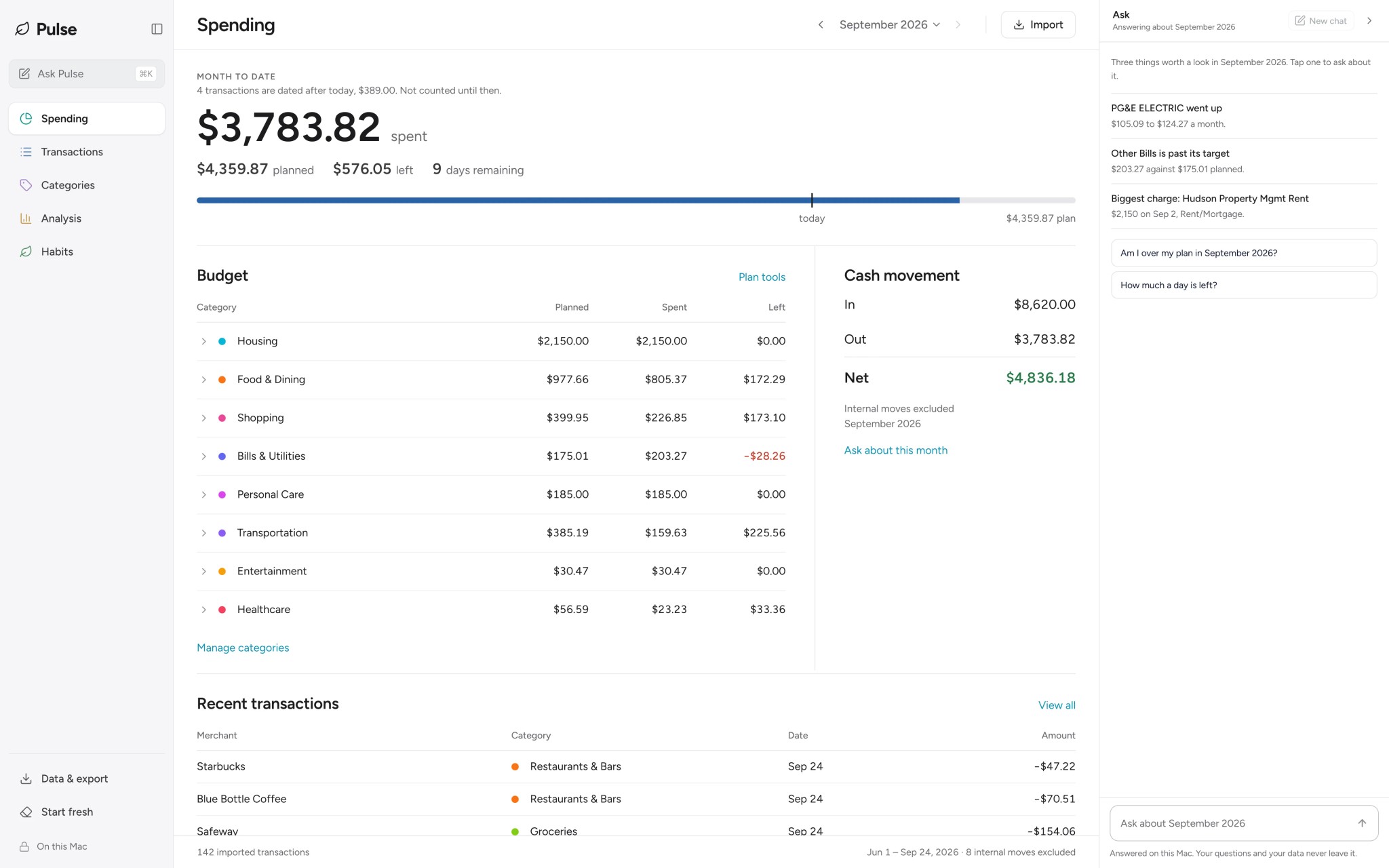
Spending. One figure for the month, and every category against its plan. Sample data.
The money maths was checked against six months of a real ledger, month by month, and matched to the cent.
Anywhere
Local mode is global.
Pick your country once and the ledger is kept in your currency, any of the world’s. Every figure is written the way you write it, 1.234,56 € in Berlin and ¥1,311 in Tokyo, and a bank file from anywhere imports: day-first dates, decimal commas, a header in your own language picked by hand. Nothing is converted, ever. The app answers in English.


























75
countries in the picker, every currency in the file
symbol, grouping and decimal mark the way that country writes money
0
exchange rates
one currency per ledger; a file in another one lands as written, and the import says so
1
language
the chat reads and answers in English; bank files import in any language
Pay what you want
Same app. Any price.
You pick.
We are a small team of ML practitioners and people who love building beautiful products. Once Pulse Local is on your machine it costs us nothing to run, so you can help us keep doing this, or use it for free. Every feature, either way.
Research
We tune small open models to answer money questions on your machine, benchmark them against cloud models in the open, and publish the weights.
The model, on Hugging FaceThe app
A complete budgeting app: plans, rules, splits, cash flow, forecast, and a chat that answers from your own figures. Every feature, at every price.
What is next
Windows, bank sync for more people, and the answers the model still gets wrong.
Every button ends at the same download; the paid ones come straight back here with it ready. One payment, not a subscription, and nothing in the app checks which one you chose. Bank sync is the one thing with a running cost on our side, so it is the one thing with a price of its own: the Sync Pass, $29 a year.
Beta for Mac with Apple Silicon, signed and notarised by Apple, so it opens like any other app and keeps itself up to date. On Windows? Tell us and we will write when it is ready.
The honest part
What you give up.
Your money.
Your machine.
The same app at every price. Pick one, or just take it.
Get the appOn Windows? Tell us and we will write when it is ready.